Engineer AI Systems with Graphs and Loops
Turn complex ideas into visual AI graphs, structured execution loops, and reusable workflows. Design systems beyond one-off prompting with Loop Engineering AI.
Windows and macOS apps are coming soon.
- Windows — Coming Soon
- macOS — Coming Soon
Prompt
One instruction, one response
Loop
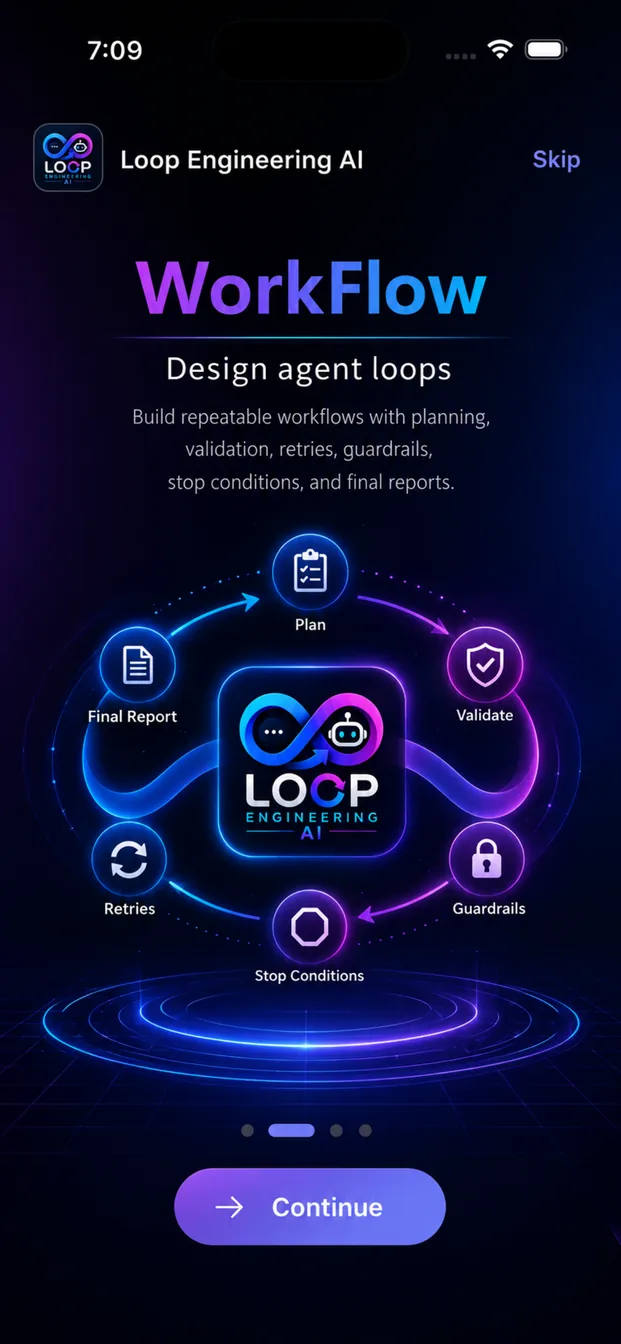
Plan → Execute → Validate → Retry
Graph
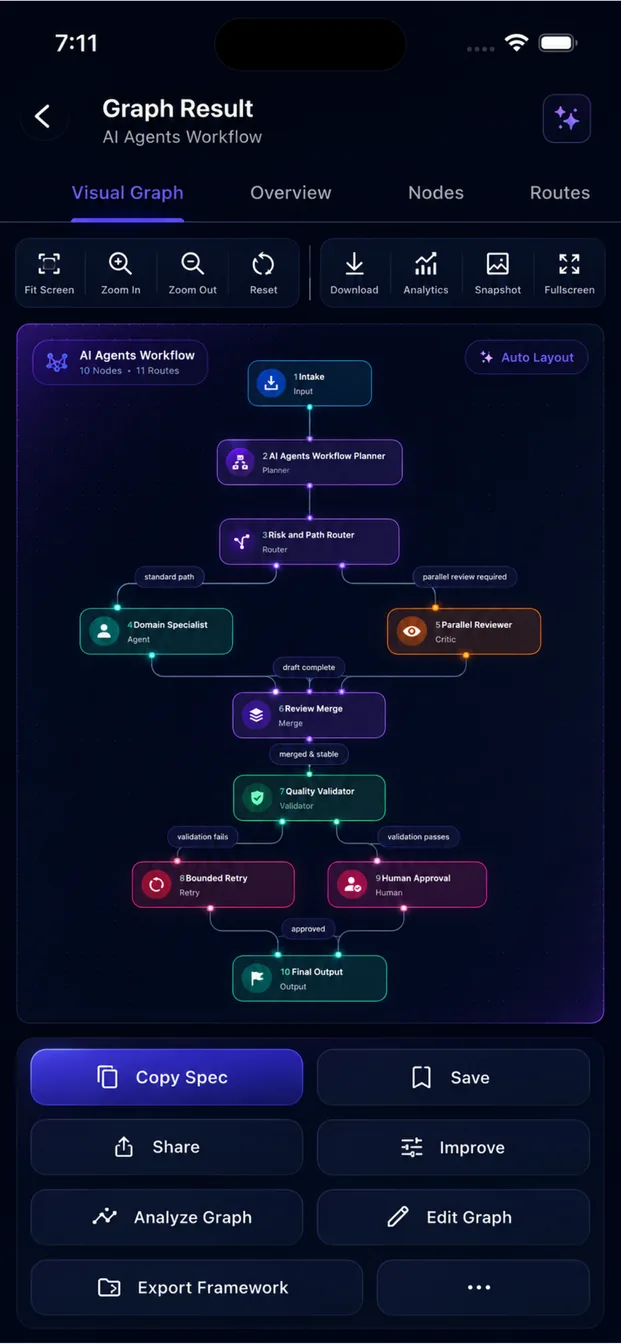
Multi-node intelligent organisation
Available now on mobile
Loop Engineering AI is live on the Apple App Store and Google Play. Desktop apps are on the way.
iPhone and iPad
Native iOS app with the full graph, loop and prompt workspace.
Download on the App StoreAndroid phones and tablets
Native Android app with the same local-first project library.
Get it on Google PlayWindows
A desktop canvas for larger graphs is in development.
macOS
A native Mac workspace is in development.
See Graph and Loop Engineering in Action
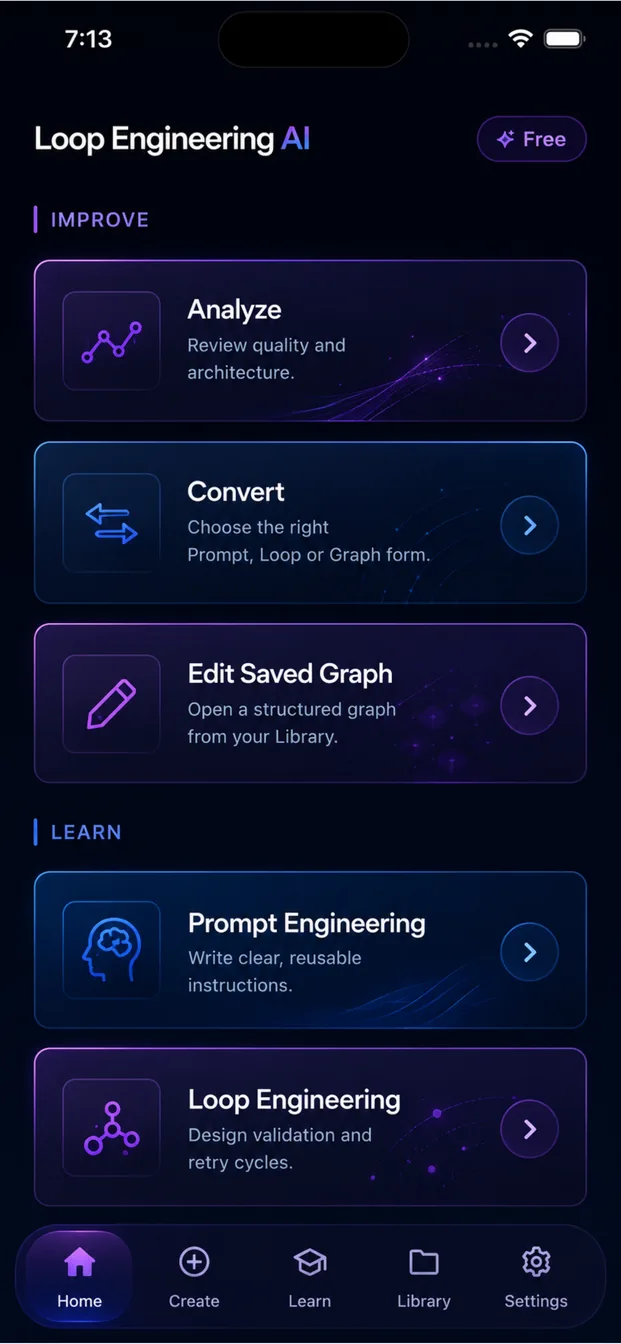
Explore the complete mobile workspace for creating visual AI graphs, structured execution loops, reusable prompts and AI engineering projects.
All screens
Swipe on mobile, or use the arrows. Select any screen for a larger preview.
Most AI users write prompts.
Professionals engineer systems.
Our platform teaches you how AI actually evolves — from a single instruction, to a self-correcting agent, to a coordinated multi-node workflow you can inspect, validate and export.
Prompt Engineering
One instruction. One response.
- Perfect for writing, coding and brainstorming
- Role, context, constraints and output format
- Fastest path from idea to usable output
Loop Engineering
One intelligent agent that refuses to settle.
- Plan → Execute → Validate → Improve → Retry
- Runs until an explicit success condition is met
- Stop conditions cap iterations, time and cost
Graph Engineering
A complete AI workflow — an intelligent organisation.
- Multiple specialised nodes and shared state
- Routing, validation and human approvals
- Framework exports for production teams
The Evolution of AI Engineering
Each stage does not replace the last — it contains it. Graphs are made of loops, and loops are made of prompts.
- Stage 1
Prompt Engineering
Single instruction
You ask once and judge the answer yourself. Precision lives entirely in the wording.
- Stage 2
Loop Engineering
Single intelligent worker
The agent critiques and rewrites its own output until it passes your criteria — or safely stops.
- Stage 3
Graph Engineering
Entire intelligent organisation
Specialists collaborate over shared state with explicit routing, quality gates and human control.
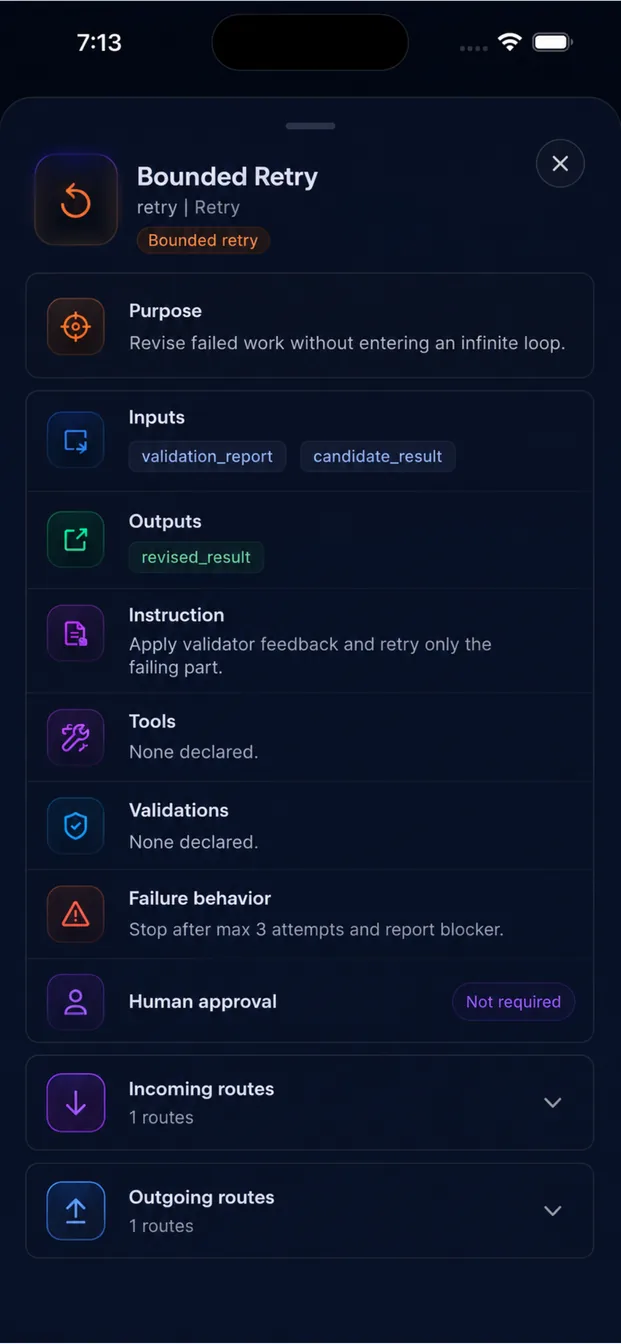
What is Graph Engineering?
Graph Engineering is the next evolution of AI system design. Instead of one AI repeating work, multiple specialised nodes collaborate together.
Nodes perform work
Each node is a specialist with one job, one contract and one output shape.
Edges route information
Conditional routing sends results forward, backwards, or to a fallback path.
Shared state connects everything
A typed state object every node reads and writes — the real contract of the graph.
Validators ensure quality
Quality gates score output and can return work to an earlier node automatically.
Human approvals keep control
Deliberate checkpoints before anything irreversible is published or executed.
Stop conditions finish safely
Budgets, iteration caps and success criteria end the run without runaway cost.
Graph Engineering is an emerging engineering discipline for orchestrating AI-agent workflows as explicit graphs — nodes, routing, shared state, validation, approvals, retries and observability. It builds on established workflow orchestration concepts while extending Loop Engineering to coordinated multi-node systems. It is an emerging practice rather than a universally standardised term.
Reference: Graph Engineering for AI agents — CodesDevs
Live example
Research → Publish graph
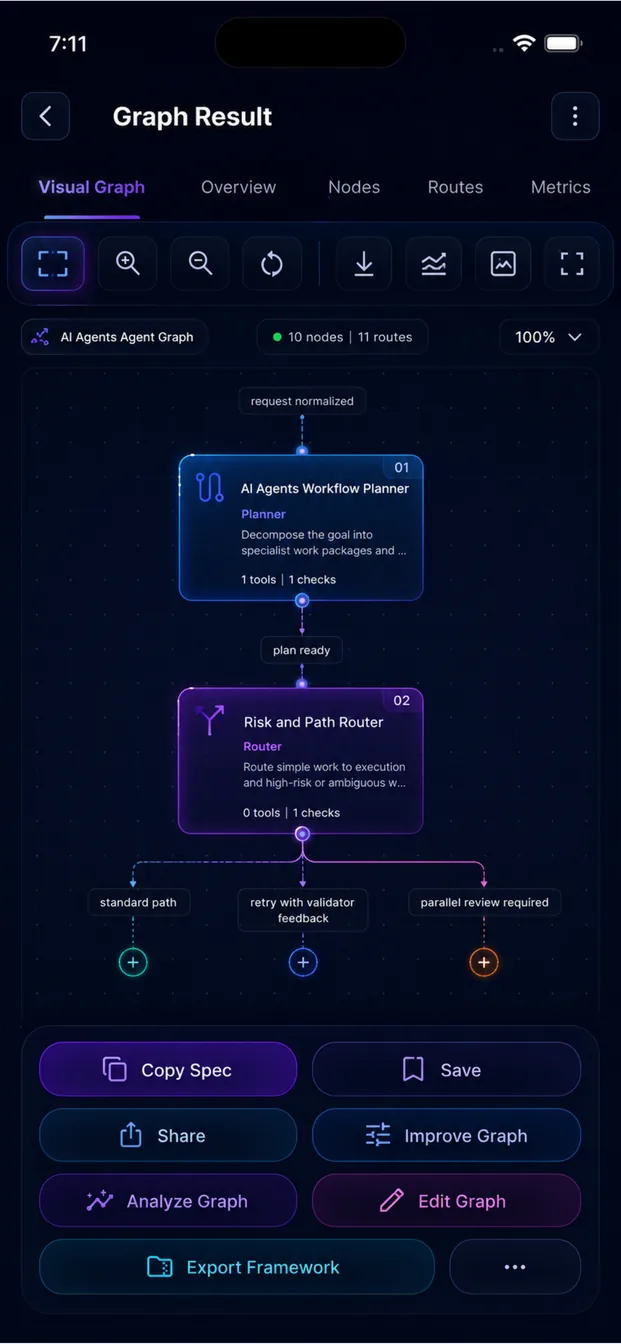
One app. The whole AI engineering workflow.
Build, analyze, edit, learn and export — without leaving your device.
Prompt Builder
Compose structured prompts from role, context, constraints and output contracts.
Loop Builder
Design plan-execute-validate-retry cycles with explicit success and stop conditions.
Graph Builder
Assemble multi-node agent workflows with routing, shared state and approvals.
Graph Visualization
See the whole system at a glance — nodes, edges, gates and failure paths.
Graph Analyzer
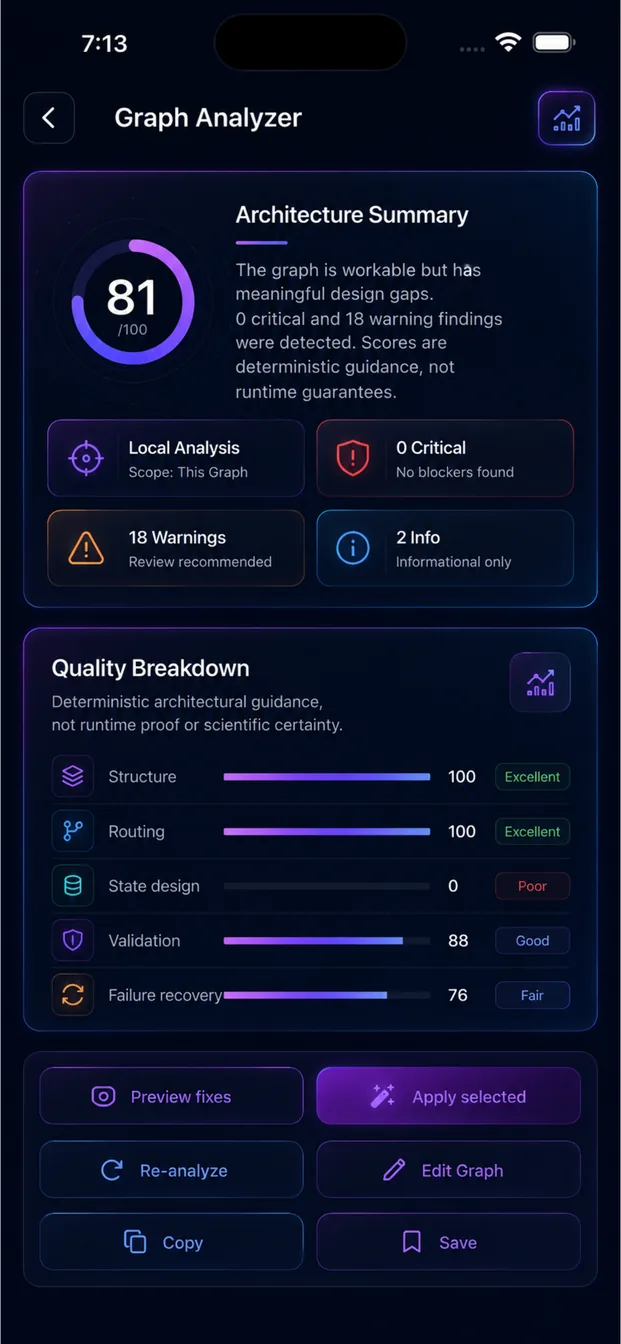
Architecture scoring, warnings, critical issues and suggested improvements.
Visual Graph Editor
Drag nodes, rewire edges, edit state and auto-layout the canvas.
Framework Export
Scaffolds for LangGraph, ADK, OpenAI Agents SDK, CrewAI, AutoGen, n8n and Make.
Mermaid Export
Documentation-ready diagrams you can paste straight into a README or wiki.
Gemini AI
Bring your own Gemini key for generation, analysis and rewriting.
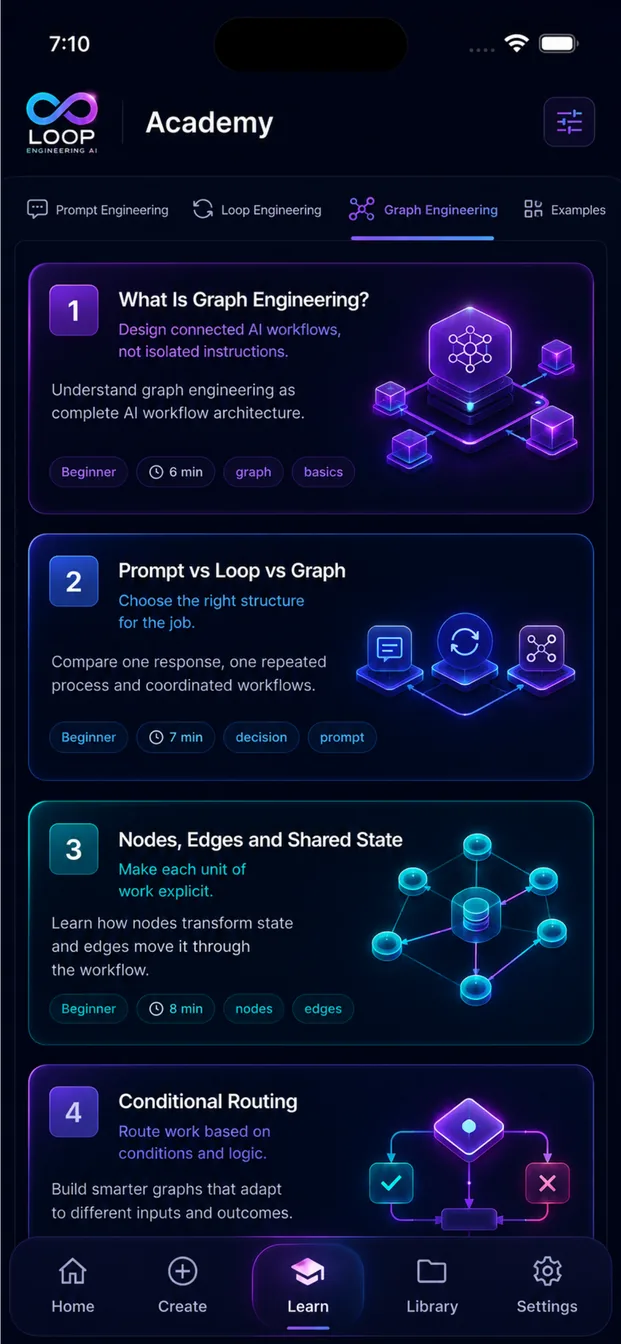
Learning Academy
Structured tracks across Prompt, Loop and Graph Engineering.
Local Library
Every prompt, loop and graph saved and searchable on your device.
Privacy First
No prompt uploads, no graph uploads, no hidden cloud sync.
Offline Storage
Your library stays available even without a network connection.
Version History
Track how a graph evolved and compare revisions side by side.
Framework Scaffolding
Generated project structure and implementation guidance to start fast.
Know your architecture is sound before you build it
The analyzer reviews your graph like a senior engineer would — structure, routing, safety and cost.
Architecture Score
A single quality number for structure, routing and safety.
Warnings
Missing stop conditions, unused nodes, ambiguous edges.
Critical Issues
Unreachable paths, infinite loops, unapproved irreversible actions.
Suggested Improvements
Concrete rewrites ranked by impact on reliability.
Automatic Fix Planning
A step-by-step remediation plan you can apply node by node.
Version Comparison
Diff two revisions and see exactly what changed and why.
Visual Highlights
Problem nodes and edges highlighted directly on the graph.
Architecture Score
86
- Critical — Publisher node runs without a preceding approval gate.
- Warning — Validator has no maximum retry budget.
- Improve — Split Research Agent into search and synthesis nodes.
Illustrative analyzer output. Scores depend on your own graph.
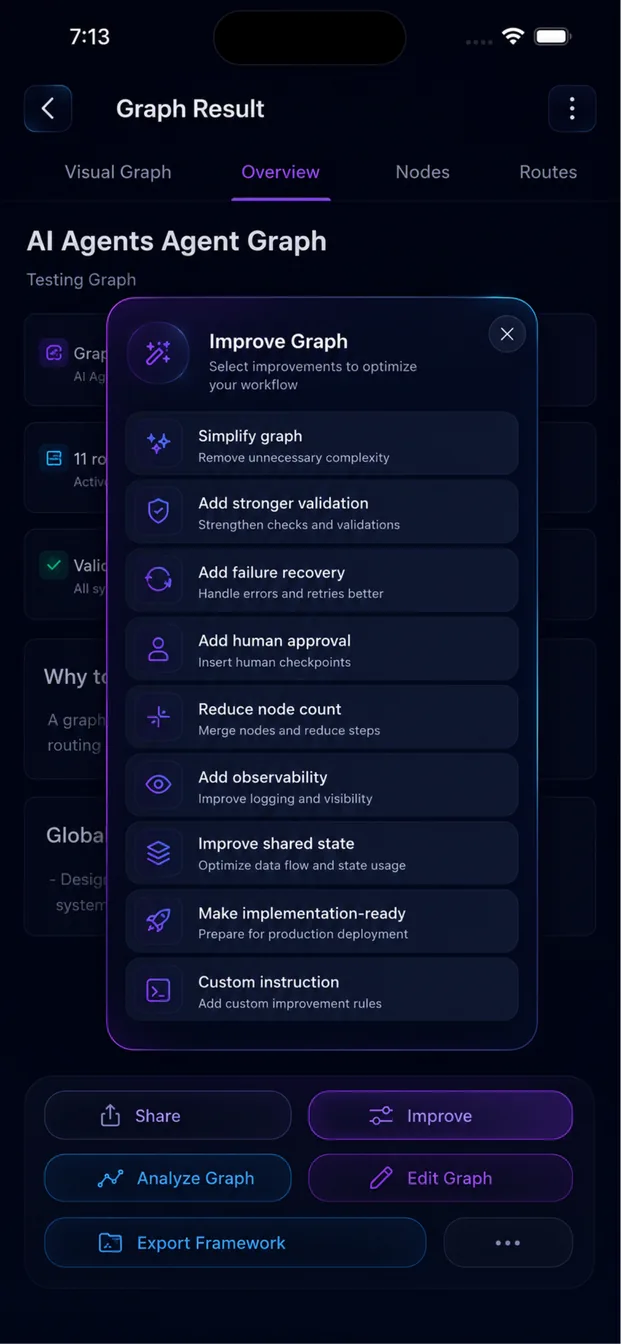
Edit the system, not the syntax
A canvas built for thinking: reposition nodes, rewire routes, adjust shared state and validate — all with full undo history.
Illustrative editor mockup — the live canvas ships inside the mobile app.
Export Anywhere
Design once, ship into the stack your team already uses.
Exports generate scaffolds and implementation guidance — not deployed applications or executed workflows. You keep full control of credentials, tools, hosting and deployment.
Learn the discipline, not just the tricks
Three sequenced tracks that take you from writing a prompt to architecting a production multi-agent graph.
Prompt Engineering
Foundations of instruction design: roles, context, constraints, output contracts, evaluation and prompt patterns that survive real use.
- Anatomy of a professional prompt
- Few-shot and structured output
- Evaluating and iterating
Loop Engineering
Turn instructions into agents: self-critique, acceptance criteria, retry strategy, budgets and safe termination.
- Plan-execute-validate cycles
- Designing acceptance tests
- Stop conditions and cost control
Graph Engineering
Architect multi-agent systems: node decomposition, shared state design, routing, validators, approvals and observability.
- Decomposing work into nodes
- State and routing design
- Approvals, tracing and exports
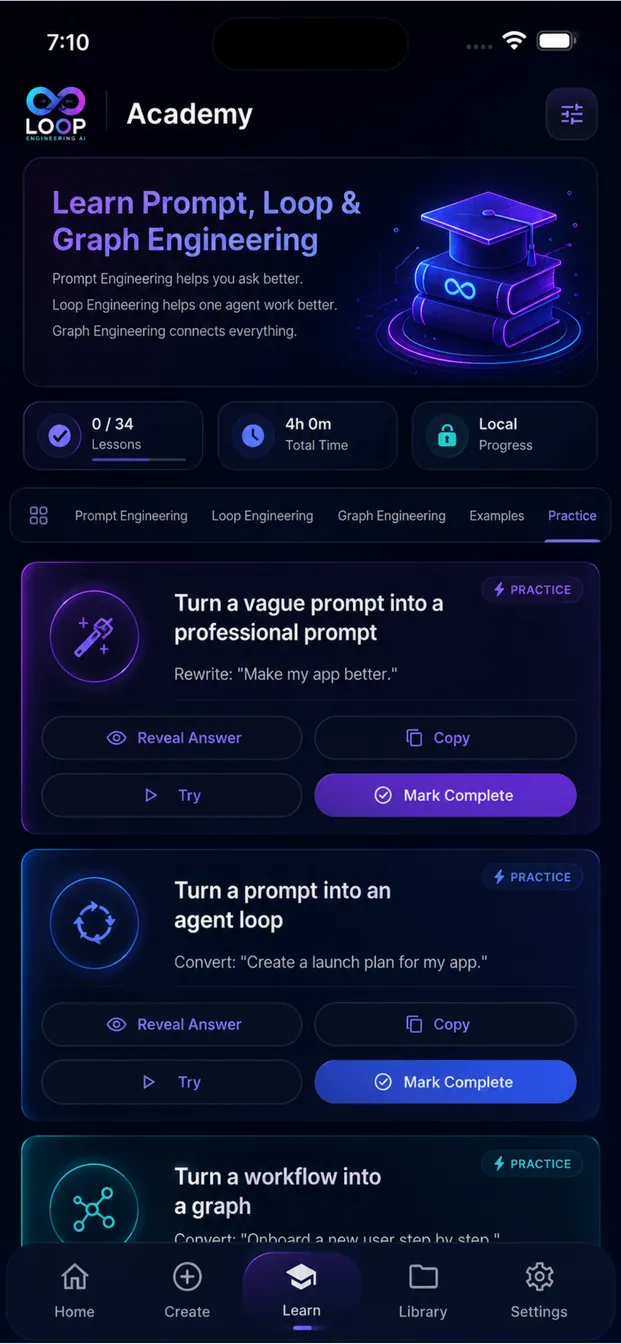
100+
Prompt Templates
50+
Loop Templates
30+
Graph Templates
100+
Lessons
9
Framework Exports
Everything stored locally.
Your AI Work Stays Yours
Your intellectual property is the prompt, the loop and the graph. None of it needs to leave your device.
Deep dives on AI Engineering
Plain-language explanations of prompts, loops, graphs and the frameworks that run them.
Questions, answered
Prompt Engineering is the practice of designing a single, precise instruction — role, context, constraints, output format and quality bar — so a model returns the result you actually wanted on the first pass. One instruction, one response.
Build Better AI Systems
From a single prompt to complete multi-agent workflows — learn, build, analyze and export from one privacy-first app.
Windows and macOS apps are coming soon.